One OpenClaw for the Whole Team
One shared OpenClaw in the team chat, with sessions the whole team can open, an assigned owner for follow-through, and roles for each person.
Dzianis Vashchuk
3 min read
I have a session open on my team gateway, with sharing turned on. Its Share panel names the members who can open it: CEO, Doc, and product-lead-agentpod. The agent's reply sits inside the session, an answer to a team greeting that took 8 seconds.
One shared agent beats a shelf of private bots for team work, because the work stays where the whole team can pick it up. With private bots, that thread scatters: each person asks a separate bot, the next bot sees none of the first thread, work repeats, and a task stalls when its starter goes offline.
A gateway is one OpenClaw running on a server the whole team shares. It stays on, and everyone works with the same agent. It is the same OpenClaw product as a personal setup. Multiplayer is a way to configure it, not a separate edition.
Start in the chat the team already uses
The shared agent shows up as a bot in the workspace chat the team already has, such as Slack or Telegram. In a group room it can reply when someone mentions it and stay quiet the rest of the time. Access can be limited to named rooms, so in group rooms the bot works only in allowed rooms. A teammate can also reach it in direct messages after a one-time pairing approval.
For a hosted start, see AgentPod.
Anyone can pick up the same session
Shared sessions, presence, and profiles live in the Control UI, the web page where the team opens and steers sessions. A conversation that starts in the team chat can continue as a shared session. Any teammate with access can open it, read what has happened, add context, and steer the next step. The work no longer depends on one laptop or one person staying online.
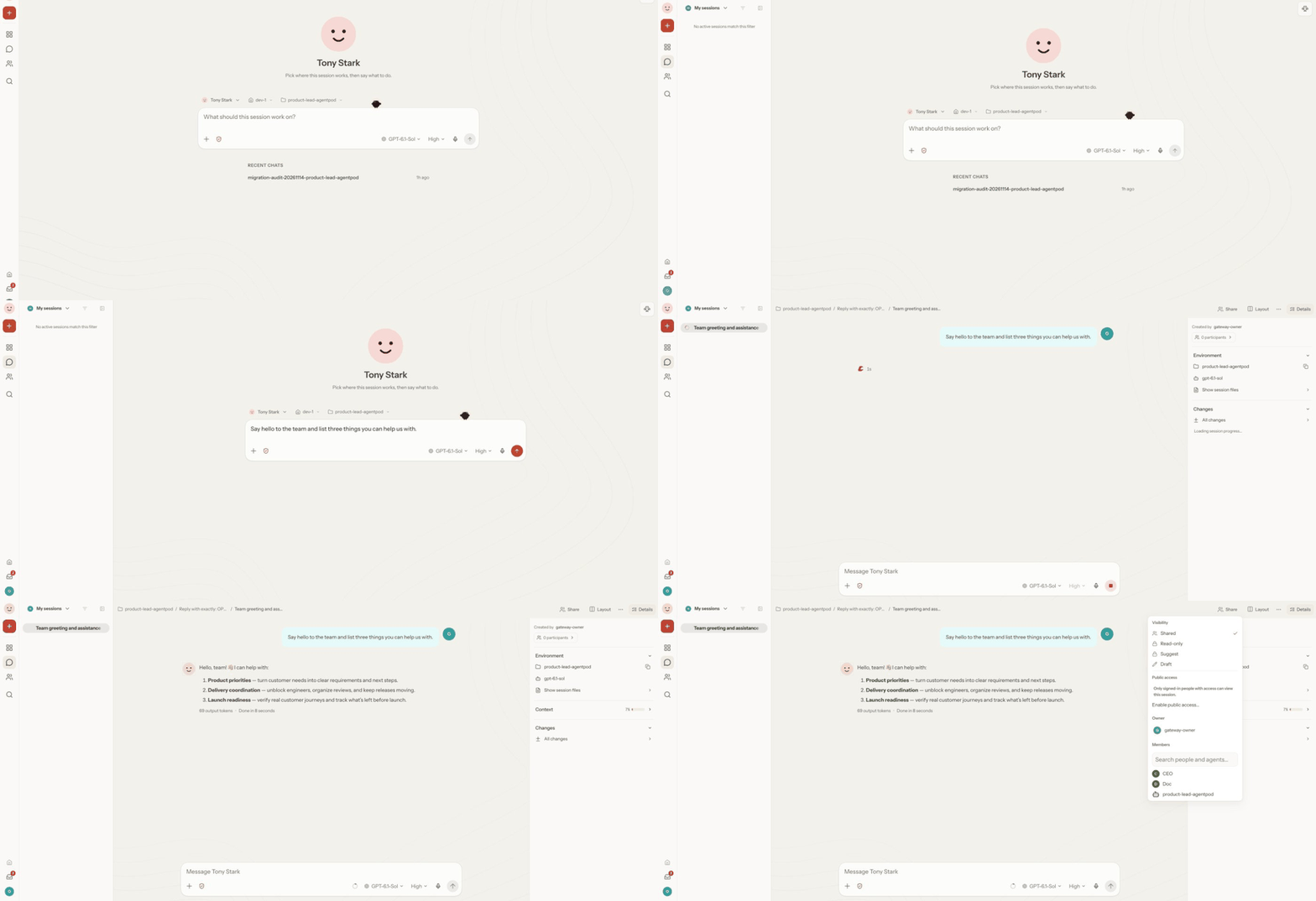 A session on my team gateway with sharing on. Its Share panel lists CEO, Doc, and product-lead-agentpod as members, and the agent's answer sits inside the session.
You can see who is viewing a session and who is typing. Drafts that a person has not sent do not reach the agent and do not enter the record.
Assign an owner so nothing gets dropped
A shared session can have an assigned owner, a person responsible for follow-through. You assign that owner from the session's context menu, the way you assign an issue. Creation, ownership, and participation stay separate in the record, and teammates who can view the session can check who asked for each step.
With GitHub identity checked and co-author credit turned on in the profile's GitHub account settings, a commit, one saved change to the code, from a shared session can credit the people who steered it and agreed to be credited. A pull request, the proposed change a reviewer reads before it lands, can link back to the session, so a reviewer can read the conversation behind the change.
Roles bound what each person can do
Named roles can set which sessions a person can view or change, which agents they can use, and what actions they can take. The person who runs the gateway sets those roles in the gateway settings, and each role is assigned per profile. A guest role can be limited to viewing other sessions and working in a sandbox, a private work area apart from the shared workspace.
Each person signs in to the Control UI and gets their own profile there. The team can tell who is present, who prompted a step, and who owns the follow-up.
One shared agent needs a trusting team
Everyone on the team shares one agent, so this fits teams that already trust each other. It is one shared space for the whole team. The OpenClaw multiplayer docs say groups that must not see each other work should run separate gateways instead.
You can deploy OpenClaw in one click for your team at agentpod.agentlabs.cc. Pick the chat room your team uses most, connect the bot there, and start your first shared session in that room.